
Office 2016 Pro Plus - Installation Instructions
Download the Office Pro Plus 2016 setup file in your language: https://ms-installation-guide.com/html/office/office-2016-pro-plus.html
If you receive any errors, please contact our support team via email at support@wow-soft.eu or on the Contact page for further assistance.
1. Download the Office installation file from the link above
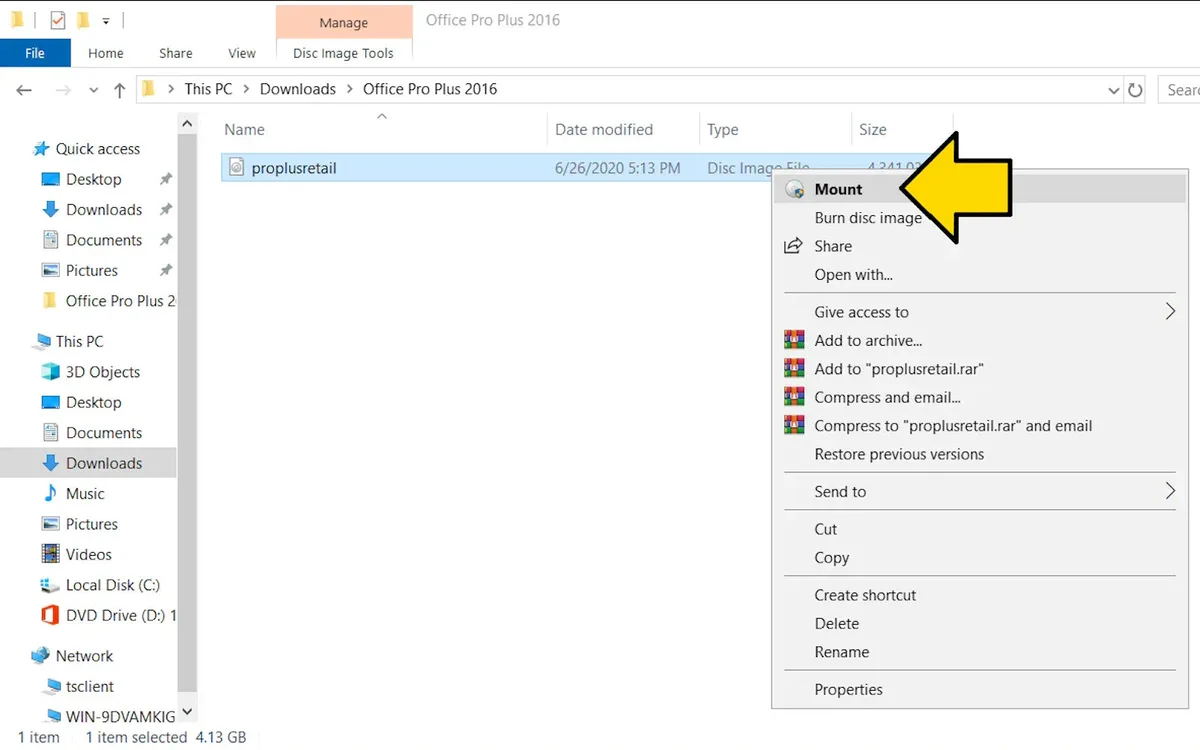
2. Double-click or right-click the “ProPlus2016Retail.img” file, then click Mount
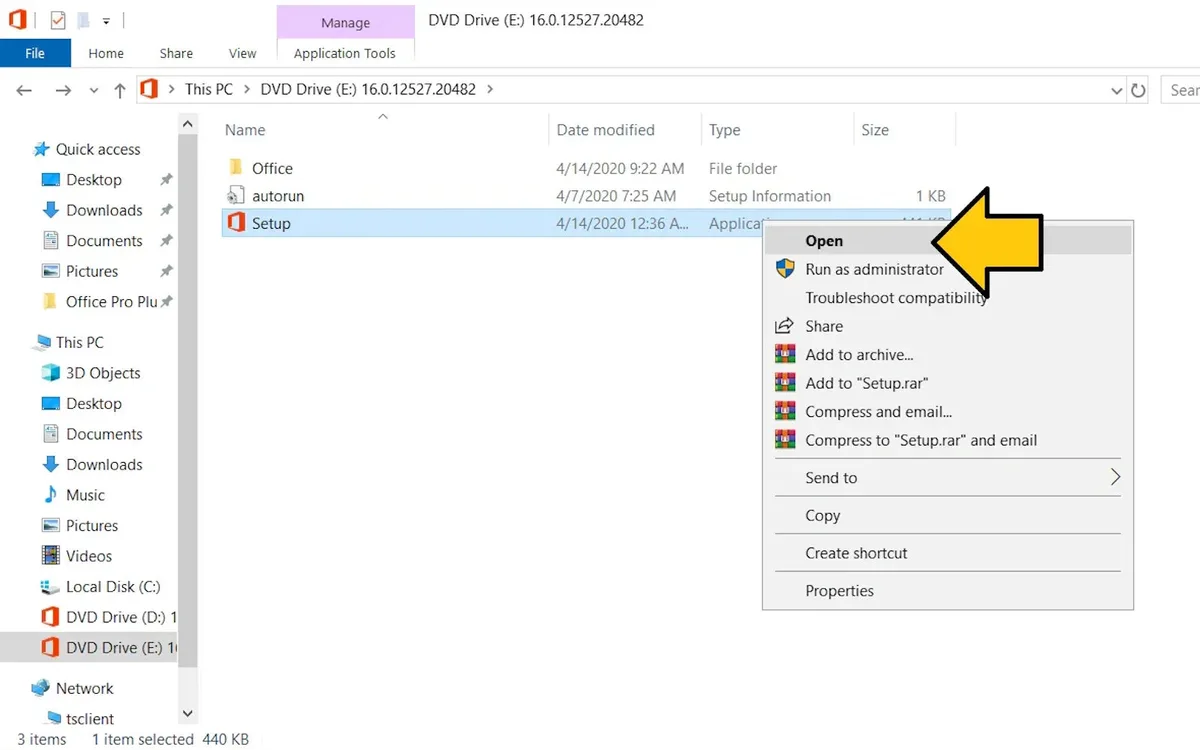
3. Double click or right click the “Setup” file, then click Open
4. Wait for the installation to complete.
5. Open any Office application
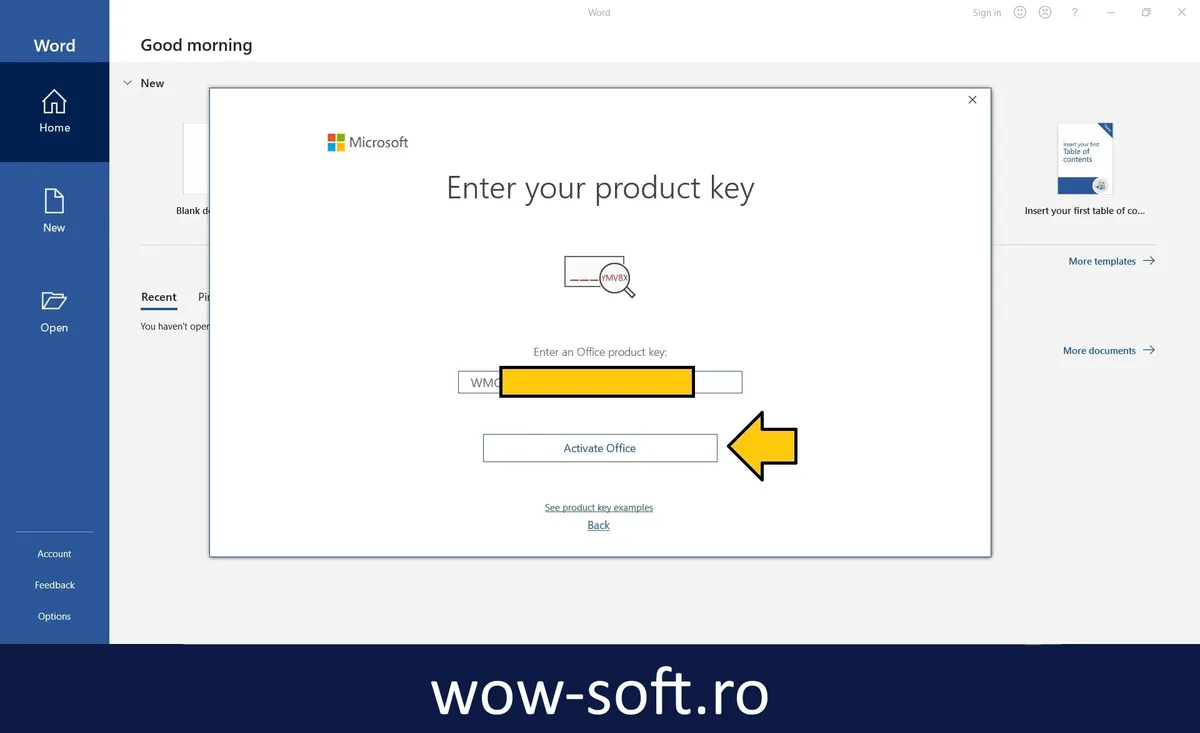
6. Wait for the activation screen to appear automatically.
7. Enter the product key you received after purchase, then click Activate Office
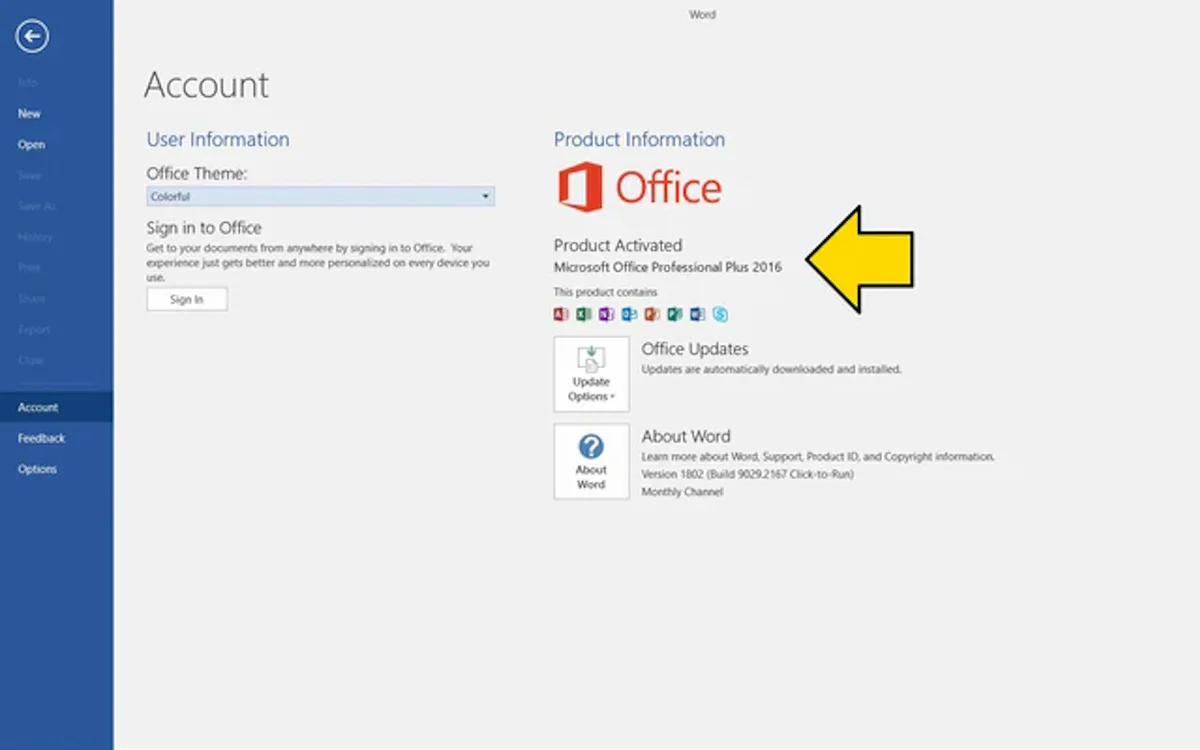
8. Done, now your Office is fully activated.
Phone Activation Instruction
1. If a similar window appears, you must select "Activate by phone" and then it will show you the installation ID screen with a toll-free phone number which is an automated robot system.
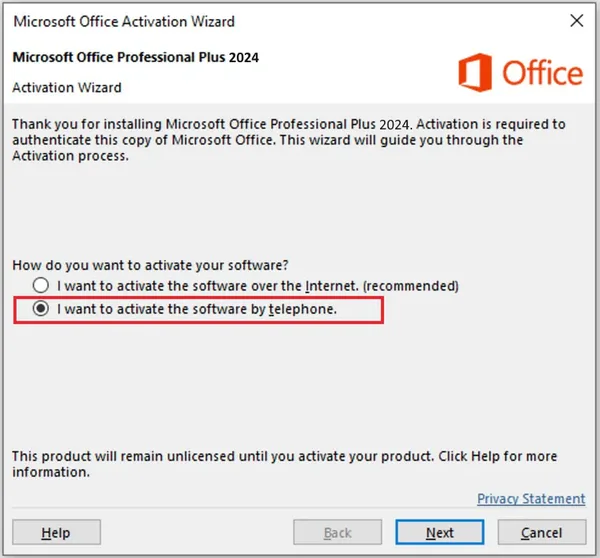
2. Call the toll-free number in the selected region, and provide the robot ID
3. After which, the robot will provide you with a confirmation ID, which you must enter in the free boxes
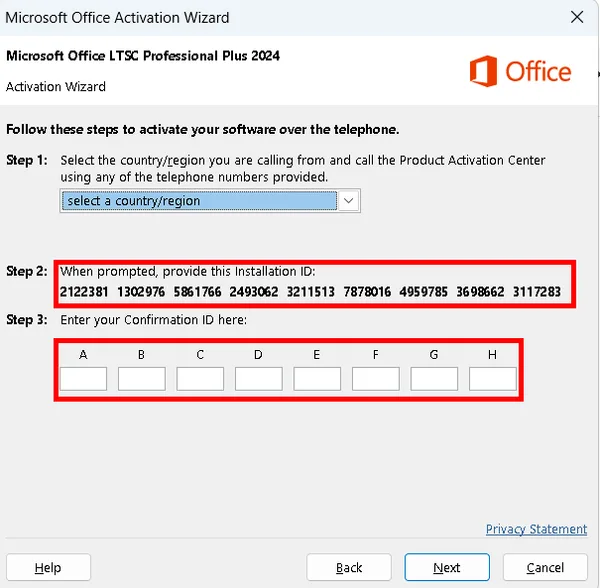
4. Done, now your Office is fully activated!