Skip to product information
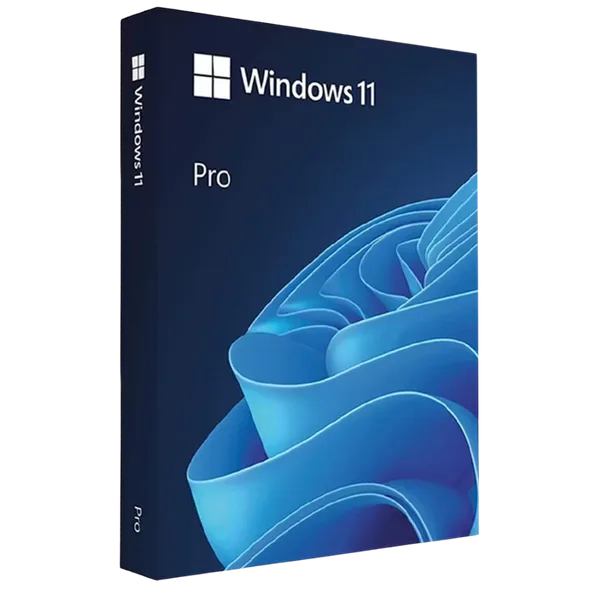
Windows 11 Pro

Windows 11 Pro

Sale price  €5,95 Regular price  €39,00
In stock

License Features

  • License type: Electronic License
  • Delivery: Instant
  • Availability: Permanent
  • Return period: 30 days
  • Language: Multilanguage
  • Technical Support: Yes
  • Warranty: 24 Months
Tipe

Windows 11 Pro is the ultimate operating system for professionals, offering advanced features such as Remote Desktop access, Group Policy management, and enhanced security tools. Perfect for business users and IT specialists who need performance, control, and flexibility. Includes a lifetime license with no subscription required.

Windows 11 Pro Features

Microsoft Copilot (AI Assistant)

AI Support for Everyday Tasks – Powered by Microsoft Copilot

Boost your productivity with Microsoft Copilot, the advanced AI assistant integrated into Windows 11 Pro. Automate tasks, streamline your workflows, and get intelligent support directly in your favorite apps. Ideal for both business and personal use.

Key Features:

  • Powerful AI Assistant for everyday use

  • Seamless integration with Microsoft 365 apps

  • Enhanced productivity and accuracy

  • Make daily tasks faster and smarter with Microsoft Copilot in Windows 11 Pro


Windows 11 Pro Security

Advanced Security with Windows 11 Pro – Protect What Matters

Get the highest level of protection with Windows 11 Pro, built with enterprise-grade security features to safeguard your data and devices. Stay protected against the latest threats with real-time monitoring and intelligent defenses.

Key Features:

  • BitLocker Encryption: Full-level data protection

  • Windows Hello: Instant biometric login

  • Built-in Antivirus: Real-time malware and threat detection

  • Your digital shield: Stay safe with Windows 11 Pro


Performance & Compatibility

Exceptional Performance and Device Compatibility with Windows 11 Pro

Experience lightning-fast speed and unmatched hardware compatibility with Windows 11 Pro. Enjoy an optimized system for heavy workloads, effortless multitasking, and smooth integration with all your apps and peripherals.

Key Features:

  • Optimized Speed: Maximum efficiency for business and daily use

  • Wide Compatibility: Works perfectly with modern and legacy devices

  • Modern UI Experience: Intuitive and easy to navigate

  • Upgrade your PC with Windows 11 Pro and unleash its full potential!

Windows 11 Professional – Activation Guide

If you don't already have Windows
11 Professional
installed, we recommend downloading and installing it from
the official Microsoft page:

https://www.microsoft.com/en-us/software-download/windows11

To
activate Windows 11 Professional using your product key:

  1. Click on Start, then go to Settings
  2. Click on System, then select Activation
  3. Click Activate or Change product key
  4. Enter the license key you received after purchase
  5. Your Windows is now fully activated, and you'll have access to all Premium features

Alternatively,
you can follow these steps:

  1. Search for "Activation settings" in the Windows search bar
  2. Click Activate or Change product key
  3. Enter the license key you received after purchase
  4. Your Windows is now fully activated, and you'll have access to all Premium features

For a more detailed installation instruction guide with photos, you can acces the fallowing link:

https://wow-soft.eu/pages/windows-11-pro-installation-instructions

Need assistance?

If you encounter any issues or receive an error message during the activation
process, please contact us at support@wow-soft.eu.

Our support team is available 24/7 to help you.

1) What is Windows 11 Pro and who is it for?

Windows 11 Pro is the professional edition of Microsoft’s latest OS, built for business and power users. It adds BitLocker, Remote Desktop (host), Hyper-V, Group Policy, Domain/Azure AD join, Windows Sandbox, and Windows Update for Business over Home.

2) Is this a digital license or physical media? How do I receive it?

Delivery is typically digital via email (Windows 11 Pro product key + official download steps). If you buy retail USB media, you’ll receive a physical USB; otherwise you can create a bootable USB from the official installer.

3) What are the system requirements for Windows 11 Pro?

64-bit only (no 32-bit edition), a supported CPU, TPM 2.0, Secure Boot, 4 GB RAM (min.), and 64 GB storage (min.). For best performance, use an SSD and 8–16 GB RAM.

4) How do I install and activate Windows 11 Pro (clean install or upgrade)?

Download the installer, perform an upgrade or clean install, then go to Settings → System → Activation and enter your product key (or sign in if the device has a digital license). Upgrading from Windows 11 Home to Pro is done by entering a Pro key under Activation.

5) How many devices can I activate and what about languages/features?

A standard retail key activates 1 PC (one active device at a time). You can add interface languages via Language Packs. Pro includes BitLocker, Remote Desktop (host), Hyper-V, Group Policy, Domain/Azure AD join, and Windows Sandbox for advanced management and security.

Related products