Delivered by e-mail in 60 seconds
Genuine licences with invoice
Extended 30-day right of return
Support Mon–Fri, 12:00–22:00
Perpetual licences, no expiry date
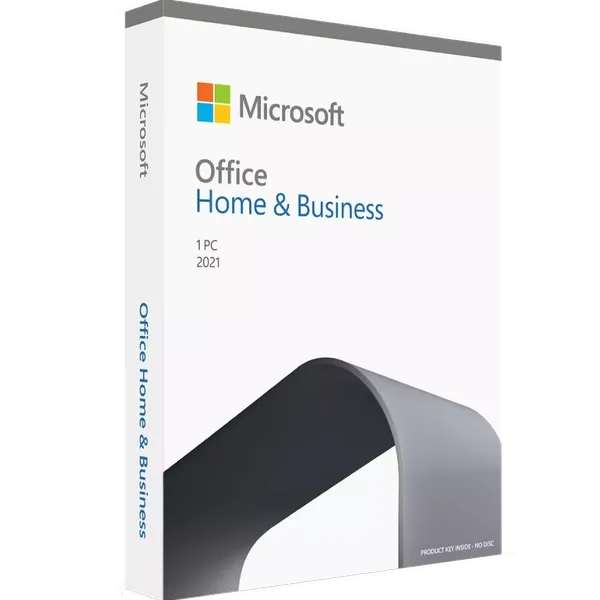
Microsoft Office Home & Business 2021 retail box
Office software

Office 2021 Home & Business MAC

MicrosoftSKU T5D-03511EAN 0889842091151
€71,75
In stock — delivered by e-mail
Instant delivery — your licence key arrives by e-mail in under 60 seconds.
Refurbished licence
30-day right of return
Invoice with VAT
Support in English

Specifications

Licence type Electronic License
Delivery Instant
Validity Permanent
Languages Multilanguage
Compatibility Windows 11, Windows 10, MAC
Warranty 24 Months
Return period 30 days
Technical support Yes

Description

Office 2021 Home & Business is the ideal solution for professionals and entrepreneurs, offering essential applications for efficient document management, fast communication, and optimal task organization. The suite includes the latest versions of Word, Excel, PowerPoint, Outlook, and OneNote, all optimized for performance and seamless collaboration.

Performance and Productivity

Microsoft Office 2021 Home & Business is the ideal solution for professionals, entrepreneurs, and home users who want a powerful, intuitive, subscription-free set of applications. With a modernized design and advanced features, this package ensures a fast and efficient work experience.

Focus on:

🔹 Perpetual License: Purchase once, no monthly or annual costs.
🔹 Essential Applications: Includes Word, Excel, PowerPoint, Outlook and OneNote , optimized for maximum performance.
🔹 Extended Compatibility: Works on MAC providing security and stability.

The Ideal Solution for Professionals

Office 2021 Home & Business offers a complete set of essential tools for managing documents, analyzing data, and organizing tasks efficiently. With a modernized interface and improved performance, this version is perfect for entrepreneurs, freelancers, and home users.

Focus on:

🔹 Modernized Interface: Elegant and coherent design for faster navigation.
🔹 Advanced Features: Optimized editing and analysis tools for productivity.
🔹 Efficient Email Management: Integrated Outlook for organizing messages and meetings.

Performance Without Compromise

This version of the Office suite combines stability with new features, providing users with a modern and productive work environment. Whether you work from home or in a company, Office 2021 Home & Business gives you all the tools you need to succeed.

Focus on:

🔹 Core Applications Included: Word, Excel, PowerPoint, Outlook and OneNote for any type of task.
🔹 Broad Compatibility: Works seamlessly on MAC
🔹 Security Updates: Constant protection against cyber threats.


Refurbished perpetual license

This is a refurbished license — a perpetual license that has been reconditioned for reuse. It is original, legal and fully functional, sourced from authorized suppliers, and it is covered by a 30-day commercial warranty.

Details: Product Authenticity · Product Warranty · Terms of Use

Activation guide

Office 2021 Home and Business for Mac installation guide

Step 1: Download Office 2021

  1. Access the official website setup.office.com .
  2. Sign in with an existing Microsoft account or create a new one if you don't already have one.
  3. Enter your product key for Office 2021 Home and Business.
  4. Select the desired region and language and click "Next".

Step 2: Install Office on your Mac

  1. After entering the key, the page will automatically direct you to the download of the Office for Mac package. Click "Download Now".
  2. Open the downloaded .pkg file (usually in your Downloads folder).
  3. Follow the instructions displayed in the installer. Select "Continue" and then "Accept" the terms and conditions.
  4. Choose the installation location and click “Install.” Enter your Mac password if prompted.

Step 3: Activating Office 2021

  1. After installation, open any Office application (Word, Excel, Outlook, PowerPoint).
  2. The app will ask you to sign in to the Microsoft account associated with the license.
  3. Sign in using the Microsoft account you originally used.
  4. Office will be activated automatically. You can check the activation status in the open application by going to the "File" > "Account" or "Help" menu.

Step 4: Update Office (Optional, but recommended)

  1. Open any Office application.
  2. Go to the "Help" menu and select "Check for Updates."
  3. Install any available updates to benefit from the latest features and improvements.

Congratulations! Office 2021 Home and Business is now installed and ready to use on your Mac.

Frequently asked questions

1) What is Microsoft Office 2021 Home & Business for Mac and what’s included?

A one-time purchase Office suite for Mac designed for home and small business use. It includes Word, Excel, PowerPoint, and Outlook (OneNote available via Mac App Store).

2) Is this a perpetual license or a subscription? How many devices are covered?

It’s a perpetual license (no monthly fees) for 1 Mac. You can move it to a new device if needed by deactivating the old one, subject to Microsoft’s license terms.

3) How do I receive the product and activate it?

Delivery is digital via email (product key + install steps). Download, install, sign in with/ create a Microsoft account if prompted, then enter your product key to activate.

4) What macOS versions are supported?

Office 2021 for Mac supports recent macOS releases per Microsoft’s system requirements (keep your Mac updated for best compatibility and security).

5) Does it include Outlook and business use rights?

Yes, Outlook is included, and business use rights are granted for Home & Business editions.

Office 2021 Home & Business MAC €71,75